
Event Attendance Tracking: Methods, Tools and Privacy Rules
13 min read
Event attendance tracking means recording who actually showed up, not just who signed up. The simplest version is a headcount at the door. The more useful version ties each check-in to a registration record, so you can see no-shows, arrival peaks and which sessions drew a crowd. Pick the method that fits your event’s size, budget and venue, tell people what you collect, and use the numbers to plan the next one.
This guide covers the main ways to track attendance, what an attendance app should do, how Canadian privacy rules apply, and how to turn the data into decisions. It also covers where Kestr fits if your event happens at a bar, restaurant or live music venue.
TL;DR
- Track attendance by matching a registration record (a ticket code or name) to a check-in at the door, and at session doors if you run sessions.
- QR or barcode scanning suits most events. RFID, kiosks and sensors earn their cost only at larger scale.
- Decide what counts as an “attendee” and why you need the number before you pick a counting method.
- In Canada, collecting names and contact details generally requires people’s knowledge and consent under PIPEDA.
- For events at venues, check-in activity in a community app like Kestr gives a lightweight signal of local turnout.
Table of Contents
- What event attendance tracking actually measures
- Start with a definition, not a tool
- Methods for recording attendance
- How to track attendance from registration to check-in
- Busy sessions and community events
- What to look for in an event attendance tracking app
- Protecting attendee information in Canada
- Using attendance data after the event
- Our perspective
- Where Kestr fits for venue-based events
- A practical setup for three common event types
- Common mistakes to avoid
- FAQ
- Sources
What event attendance tracking actually measures
At its core, attendance tracking records who attended or checked in and who did not. Deeper tracking adds the sessions each person attended, when they left and how long they stayed.
Organizers use that data for a few practical purposes:
- Comparing registrations with real turnout to measure the show rate and spot no-shows.
- Understanding session demand so the popular talk does not land in the small room.
- Producing evidence for sponsors, funders or internal reviews.
- Planning staffing and budgets for the next event.
Those uses are laid out in a guide to tracking tools and best practices. One framing is worth keeping: good tracking captures the attendee’s journey through the event, not only a door count.
Start with a definition, not a tool
Before you buy anything, settle two questions. Who counts as an attendee? Why do you need the number?
The audience-research guidance from Creative Victoria, a government arts body in Australia, makes the point well. There is no single correct counting method. The right one matches your purpose and resources, and you should apply it consistently over time so year-on-year comparisons mean something.
It also flags two traps:
- Fixed counters can double-count people who walk in and out.
- Counting collected tickets leaves out anyone who attended without one.
A pub-night fundraiser with open entry and a ticketed conference need different answers. In the first, a clicker at the door and a timed count might do. In the second, you need a per-person record.
Methods for recording attendance
The common options, as described in a guide to counting attendance, are manual clickers, QR or barcode scanning, RFID or NFC badges, self-check-in kiosks, video analytics, and Wi-Fi or Bluetooth tracking. Each has strengths and limits. Here is how they compare in practice.
| Method | Best for | Main limit |
|---|---|---|
| Manual clicker or tally | Free, open or casual events | No identity data, double-counts movement |
| Paper list or name lookup | Small invite-only events | Slow, error-prone, hard to analyze |
| QR or barcode scan | Most ticketed or registered events | Needs registration set up first |
| RFID or NFC badge | Large conferences, trade shows | Hardware cost and logistics |
| Self-check-in kiosk | Busy entrances | Staffing and device setup |
| Sensors, video, Wi-Fi | Crowd flow at big venues | Cost and privacy concerns |
The Nunify guide recommends choosing based on event size, budget, check-in needs and whether the tool works offline. That last factor matters in basement venues and crowded rooms where the signal drops.
A simple rule of thumb
Under about 50 people, a name list and a phone spreadsheet is fine. From there up to a few thousand, QR scanning from registration is the sweet spot. Beyond that, or when you need dwell time and crowd flow, look at badges or sensors.
How to track attendance from registration to check-in
The workflow is the same whichever tool you use.
- Create a registration record for each person. Collect only what you need: a name and an email address is often enough.
- Issue a ticket code. A QR code in the confirmation email works for most events.
- Check people in at the entrance by scanning the code or looking up their name, as check-in software is designed to do.
- Repeat at session doors if you run sessions, and record check-outs when you need to know who left.
- Watch the live numbers on a dashboard so you can open another entrance or move a session.
- Export the report after the event and reconcile it against registrations.
Live data pays off while the event is still running. It can help you adjust staffing, manage room capacity and tweak the schedule, as the Checkout Page guide notes.
Virtual and hybrid events
For online sessions you track log-in times, session views and chat or Q&A activity. For hybrid events you combine those online metrics with physical entry and session records, as Liquid Web’s guide explains.
Busy sessions and community events
Crowded rooms are where counts go wrong. Two habits help.
First, use separate check-ins at the main entrance and at session doors, enforce capacity, and record check-outs where it matters. Eventpack’s check-in feature describes per-session door policies for exceptions such as speakers or staff.
Second, consider self-check-in for sessions. Whova’s session self-check-in lets attendees scan a QR code posted at the session entrance, while organizers see check-ins on a dashboard. The trade-off is that self-check-in tells you about popularity but does not control admission the way staff at the door do. Use it for measurement, and use staff when you need to enforce limits.
What to look for in an event attendance tracking app
An attendance app should connect registration with event and session check-in, and give you timestamps, dashboards and exports. A step-by-step guide from Sched lists the features worth checking:
- Real-time syncing between devices
- Offline capability, so scanning continues when Wi-Fi fails. Eventpack says its scan-based check-in syncs once connectivity returns.
- Self-check-in options
- Session-level records and capacity controls
- Privacy safeguards
- Analytics and exports you can open in a spreadsheet
Some systems go further and combine arrival scans with dwell time, exhibitor visits, polls and gamification data. Whether you need that depends on what decision the data will inform. If you will not act on dwell time, do not pay for it.
Protecting attendee information in Canada
Attendance data is personal information the moment it ties a name or email to a time and place. In Canada, PIPEDA’s consent principle generally requires an individual’s knowledge and consent to collect, use or disclose personal information, with limited exceptions. Provincial laws may also apply, so check with the Office of the Privacy Commissioner or a privacy lawyer if you are unsure which regime covers your event.
In practice:
- Say why you are collecting data on the registration page and at the door.
- Collect the minimum. If a headcount answers your question, do not record names.
- Limit access to people who need it and store data on secure servers. Parks Canada’s privacy impact assessment summary for Learn-to Camp shows this approach: stated purposes, need-to-know access and technical safeguards.
- Do not keep data longer than needed. The Privacy Commissioner’s guidance on monitoring at the Vancouver 2010 Games stresses that monitoring should be necessary, proportionate, clearly signposted, minimized, secured and limited in retention. It is guidance for a different scale of event, but the principles translate to a community festival.
Sensors and video analytics deserve extra caution, because people may not know they are being counted. Signage is the minimum.
Using attendance data after the event
The numbers only matter if they change something. EventMobi’s guide suggests a sequence that works for most organizers:
- Compare registrations with check-ins to get your show rate.
- Look at peak arrival times. If half your guests arrive in 15 minutes, add a second check-in lane next time.
- Compare session attendance to find weak slots.
- Pair attendance with costs to get cost per attendee.
- Send a short survey to the people who actually came.
Some examples of what that surfaces. MicePad notes records can reveal arrival peaks and weak afternoon-session participation, which informs staffing and scheduling. Whova says session attendance can support certificates or credits and targeted session surveys.
For sponsors, a clean report of show rate, peak times and session turnout is far more persuasive than an estimate.
Our perspective
Most advice on this topic is written for conference organizers with budgets for badges and scanners. Much of the real event life in Canadian cities is different: a trivia night, a live set, a happy hour that fills a patio, a neighbourhood food crawl. Nobody scans a badge at those.

We built Kestr around that reality. It maps bars, restaurants and live entertainment venues, and shows deals, specials and events as they happen. Because users can scan and share deals, add their own and check in, the picture of what is busy and worth going to is built by the community, not by a quarterly report.
Our view is that attendance is a signal, not only a ledger. A venue or organizer who wants to know whether Thursday’s special is working needs fast, honest feedback, not a spreadsheet three weeks later. Point-in-time check-ins, local leaderboards and shared deal activity give a sense of what is landing. They are not a substitute for a ticket scan when you need an exact, auditable count, and we would not pretend otherwise. Use a registration-based tool when you need proof for a sponsor. Use community activity when you want to see what your local scene actually responds to.
Where Kestr fits for venue-based events
If your event takes place at a bar, restaurant or live entertainment venue, Kestr puts it in front of people who are actively looking for something to do tonight. Guests can discover the event, check in, book a table through the OpenTable integration and get home with the Uber integration. Venue owners and managers can claim and manage their listing and deals through tiered subscription plans, while the app itself is free for people going out.
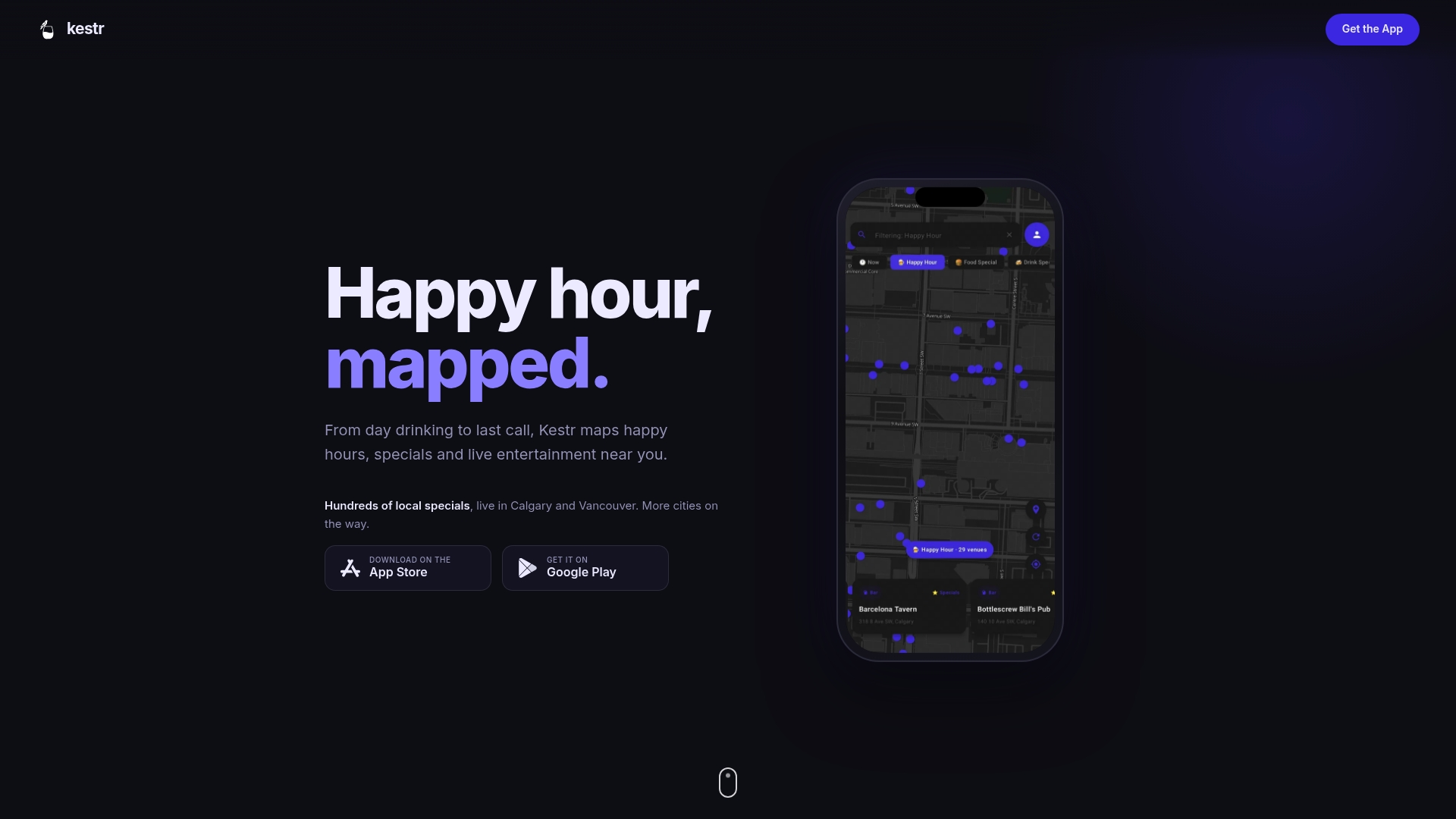
Using Kestr alongside your own tracking is simple. Keep your registration list or door count as the official record, and use the app to see how your event and your deals are being shared and checked into locally. You can find your venue or claim it at kestr.app.
A practical setup for three common event types
A small community night (under 100 people)
Use a free registration form and a name list on a phone. Add a clicker at the door for walk-ins, since a timed count is acceptable when you only need a rough picture. Note the start, peak and end headcounts. After the event, compare to your sign-ups and ask a handful of attendees what they liked.
A ticketed live show
Issue QR tickets at purchase. Scan at the door with a phone, ideally a tool that works offline. Watch the dashboard to see whether the crowd arrives early or late, which tells the venue when to staff the bar. Keep the export for your next booking conversation.
A multi-session conference or festival
Register every attendee, scan at the main entrance, and add session-door scanning or self-check-in for the sessions you care about. Define in advance what counts as attendance at a session, for example scanning in at all, or staying for a set time. Report show rate, session turnout and peak arrival times to sponsors.
Common mistakes to avoid
- Counting without a purpose. A number nobody uses is a cost.
- Changing methods every year. You lose the ability to compare.
- Trusting a clicker at a busy door. People who leave and return get counted twice.
- Ignoring walk-ins. Ticket-only counts miss them.
- Collecting more than you need. Extra data means extra privacy risk.
- Skipping the debrief. Review the numbers within a week, while the event is fresh.
FAQ
What is the easiest way to track event attendance?
For most events, register people in advance, send each a QR code and scan it at the door with a phone. If the event is small or free, a name list plus a clicker for walk-ins is enough. Choose the method that matches your purpose and apply it the same way each time.
Can I track attendance at a free or open event?
Yes. Without tickets, use a clicker or a timed count at the entrance, and accept that it will be approximate. Counting methods differ in what they miss: fixed counters can double-count people who come and go. Optional sign-up or a voluntary check-in adds detail.
Do I need consent to record attendee names in Canada?
Generally yes. PIPEDA generally requires knowledge and consent to collect, use or disclose personal information. Tell people what you collect and why at registration. For specific situations, ask the Office of the Privacy Commissioner or a privacy lawyer.
What should I measure besides the total headcount?
Track show rate (check-ins versus registrations), peak arrival times, session attendance and, where it matters, entry and exit times. Pair those with costs and feedback to judge whether the event was worth running again.
Does Kestr track attendance for my event?
Kestr is a free community app for discovering venues, deals and events, with check-ins and local leaderboards. It is not a ticket-scanning system, so keep your registration record for exact counts. Venue owners can claim a listing to manage their deals and events.
Sources
- The Importance of Tracking Event Attendance: Complete Guide (EventsAir)
- Event attendance tracking: Tools and best practices (Checkout Page)
- How to count attendees (Creative Victoria)
- How to Count Attendance at Events: Methods and Metrics (fielddrive)
- Event Attendance Tracking Software: How to Track Attendees (Nunify)
- Event and Session Check-in Software (Eventpack)
- How to Track Attendance at Events (Liquid Web)
- Whova session self-check-in
- How to Track Attendance at Events: Step-By-Step Guide (Sched)
- Event attendee tracking (Eventify)
- Interpretation Bulletin: Publicly Available Information (Office of the Privacy Commissioner of Canada)
- Privacy impact assessment summary for Learn-to Camp (Parks Canada)
- Privacy and Security at the Vancouver 2010 Winter Games (Office of the Privacy Commissioner of Canada)
- Event Attendance Tracking: How to Go Beyond Headcount (EventMobi)
- Event Attendance Tracking Software: How to Track and Report (MicePad)